
Technical SEO / Practical guide
Crawling and Indexing Problems: A Search Console Diagnosis
A not-indexed URL is a finding, not a diagnosis. Establish whether the page should appear in search before changing robots rules, canonicals or content.
Business purpose and preferred URL
Response, directives and rendering
Canonical and indexing evidence
Start with a URL that matters
I start by asking what the page is meant to do. A checkout URL should not have the same search objective as a service page. A filtered duplicate may be excluded deliberately. Trying to make every reported URL indexed can create more duplication without helping a customer find the business.
Select a few affected URLs from a useful group: a product range, article template or service section. Record their intended purpose, current HTTP response, index directives and canonical target. Keep the original evidence before editing anything. That small record makes it much easier to establish whether your change actually solved the problem.
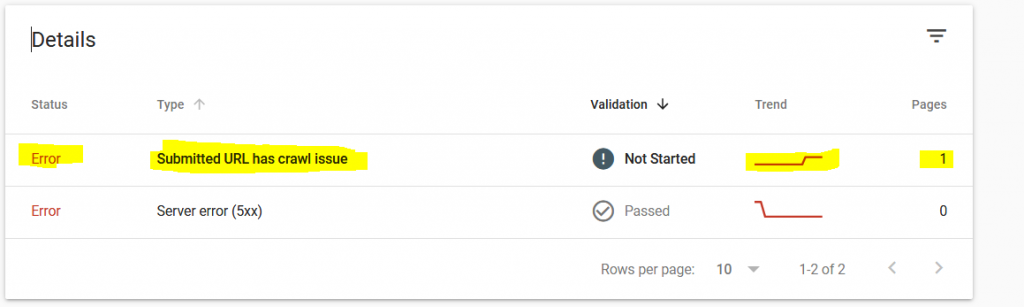
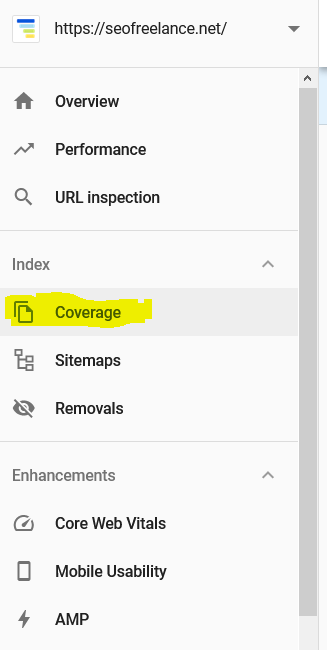
About the old error wording: this article originally addressed “Submitted URL has crawl issue”. Search Console reporting has changed. Use the current Page indexing reason and URL Inspection evidence rather than looking for an old Coverage report label.
Separate the saved result from the live test
Open URL Inspection for the exact address. Compare the stored indexing information with a live test when investigating a recent fix. They answer different questions: the saved result describes Google’s processed information, while the live test checks the page as it is available now. A successful live test is not confirmation that the URL has entered the index.
Use the Page indexing report documentation to interpret the reported reason. Avoid assuming that every excluded URL is broken or that requesting indexing repeatedly is a repair.
Take a screenshot or export of the result, note the test time and record the affected template. If a developer changes a rule later, you need to know whether your evidence was collected before or after that deployment.
Match the response to the actual problem
| Finding | First investigation | Avoid |
|---|---|---|
| Server or access failure | Origin logs, firewall, CDN and affected times | Rewriting copy before access works |
| Blocked by robots.txt | Whether crawling is intentionally blocked | Removing every rule without a plan |
| Excluded by noindex | HTML meta tag and response header | Checking only the SEO plugin screen |
| Duplicate or different canonical | Preferred URL, links and duplicated content | Adding another conflicting canonical |
| Crawled, not indexed | Page purpose, duplication and usefulness | Treating it as proof of a server error |
| Discovered, not indexed | Site scale, discovery routes and crawl evidence | Assuming one universal cause |
The table is a triage aid, not a set of automatic fixes. For example, a genuine duplicate may be behaving correctly. An important landing page with an accidental noindex needs a very different response. Review the crawling and indexation fundamentals if those distinctions are unclear.
Check the signals together
For a page you want indexed, compare the address in the sitemap, the navigation link, the canonical tag and any redirect. A site that links to one version while declaring another sends an avoidable mixed message. Check desktop and mobile templates if their output differs.
- Confirm the URL returns the intended content, not an error message with a success status.
- Inspect both HTML robots meta tags and the X-Robots-Tag response header.
- Check the canonical target exists and represents the intended page.
- Follow internal links from a relevant parent page. Do not rely solely on a sitemap.
- Inspect rendered content when important information depends on JavaScript.
- Compare another URL using the same template before deciding the fault is isolated.
A robots.txt block controls crawling; it is not a dependable substitute for an index exclusion instruction. Google needs access to read a noindex directive. Its noindex guidance explains that distinction. Be particularly careful with staging restrictions copied into production.
When access works, inspect the page's purpose
Some pages load correctly but add little beyond another URL. Think of near-identical service-area pages, empty product categories or internal search combinations. Adding more words to all of them does not resolve the underlying decision about which pages deserve to exist.
I compare what the visitor can learn or do on the affected page with its closest alternative. If it is genuinely useful, improve its distinct information and the route to it. If it is redundant, decide which page should remain and how visitors should reach that page. Do not combine unrelated topics just to reduce an exclusion count.
For a store, the ecommerce SEO checklist helps separate worthwhile categories from accidental URL combinations. A high number of indexed URLs is not the objective; the right pages being available to the right searches is.
Verify a fix before scaling it
Retest the original sample and a control URL that should not change. If you remove a header rule, confirm that intentionally private or excluded pages still behave correctly. If you fix a template, crawl its main variations rather than checking only the homepage.
Then record the deployment date, submit the appropriate sitemap where relevant and monitor Search Console as Google revisits pages. Processing is not immediate. Judge progress by the affected group, not by an expectation that the entire report becomes green overnight.
After a domain change, investigate the migration mapping and launch checks as well. If the evidence points to an access, canonical or template issue, a technical SEO consultation should produce a specific implementation brief, not a generic recommendation to publish more content.
Does publishing more often make Google crawl more often?
I would not set a publishing quota just to attract a crawler. Update pages when the information changes or there is a useful new answer. Keep the sitemap focused on preferred public URLs, repair persistent server errors and make important pages reachable through relevant internal links.
Where crawl activity is part of the diagnosis, compare Search Console crawl information with server evidence and the affected URLs. Separate discovery, crawling and indexing: a visit from a crawler does not establish that a page will appear in results. Repeated indexing requests are not a substitute for fixing the underlying problem.
Common questions
Does crawled but not indexed mean a penalty?
Not on its own. I would investigate page purpose, duplication and the reported evidence first. Manual actions have their own report; a general indexing status is not confirmation of one.
Should I request indexing every day?
Repeated requests do not replace diagnosis. Fix and test the underlying issue, then use the available submission options appropriately. Keep monitoring the affected URLs rather than using submissions as the success metric.
Can an indexed page still receive no traffic?
Yes. Indexing makes a page available for consideration; it does not establish demand, relevance or competitiveness. Once access is working, examine the queries, offer and competing results.